Campaigns
Group your fundraising by effort, and see what each appeal raised.
A campaign is a fundraising effort: Spring Appeal 2026, the gala, year-end. Every form, page, peer-to-peer site and event is attached to one, which is how Givable can tell you what each effort raised.
Before you start: you need permission to view campaigns. Editing one needs permission to edit them.
Campaigns versus funds
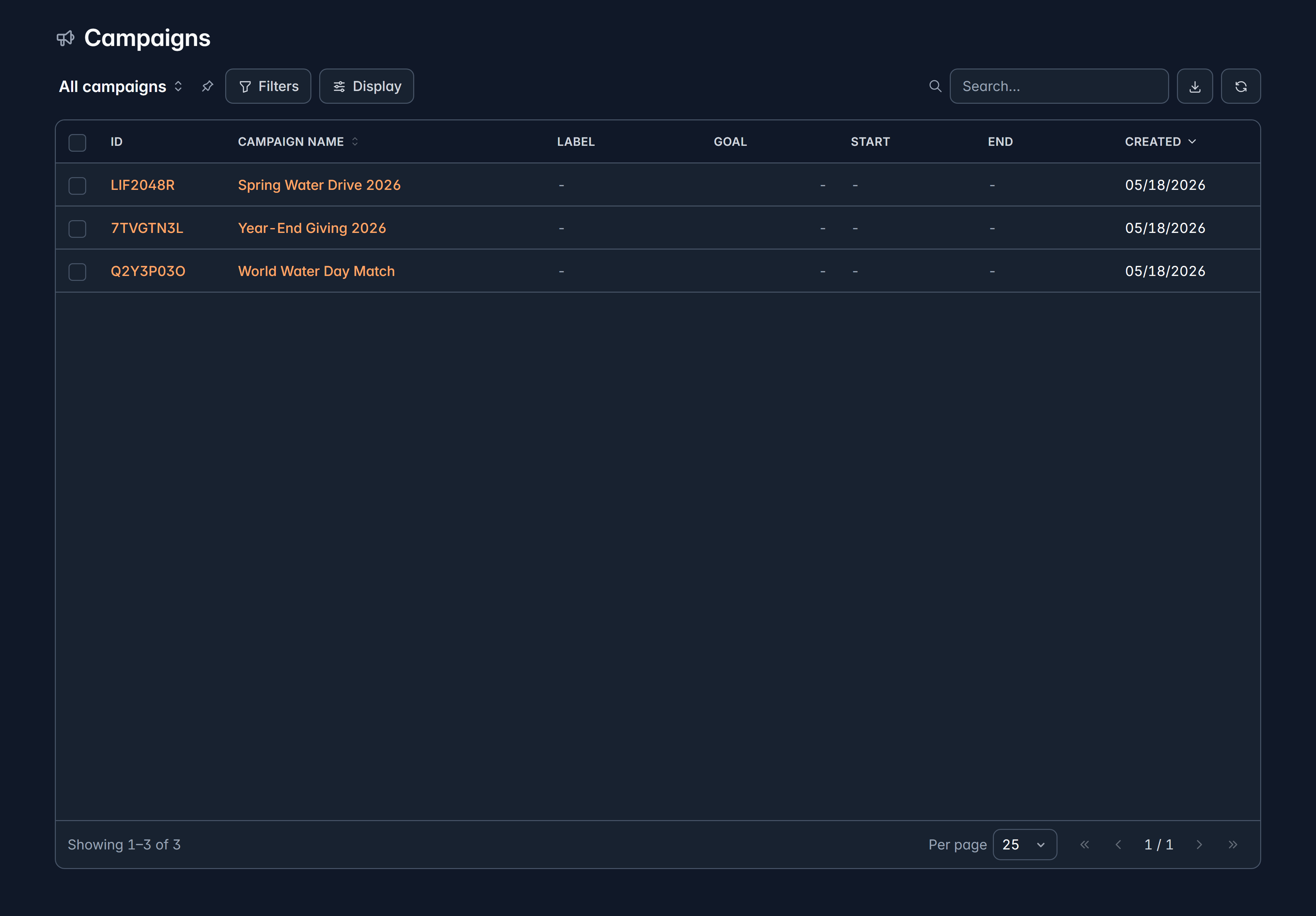
They answer different questions, and most confusion here comes from mixing them up:
| Answers | |
|---|---|
| Campaign | "How much did our spring appeal bring in?" |
| Fund | "How much do we have for clean water?" |
A single gift usually has both: given during the spring appeal, designated for wells.
Attaching gifts to a campaign
Every paid giving surface requires a campaign when you create it, so attribution happens without anyone remembering to do it. You choose the campaign when you create a form, page, peer-to-peer site or event, and its gifts count towards that campaign from then on.
Landing pages that only carry content, with no way to give, don't need one.
What a campaign shows you
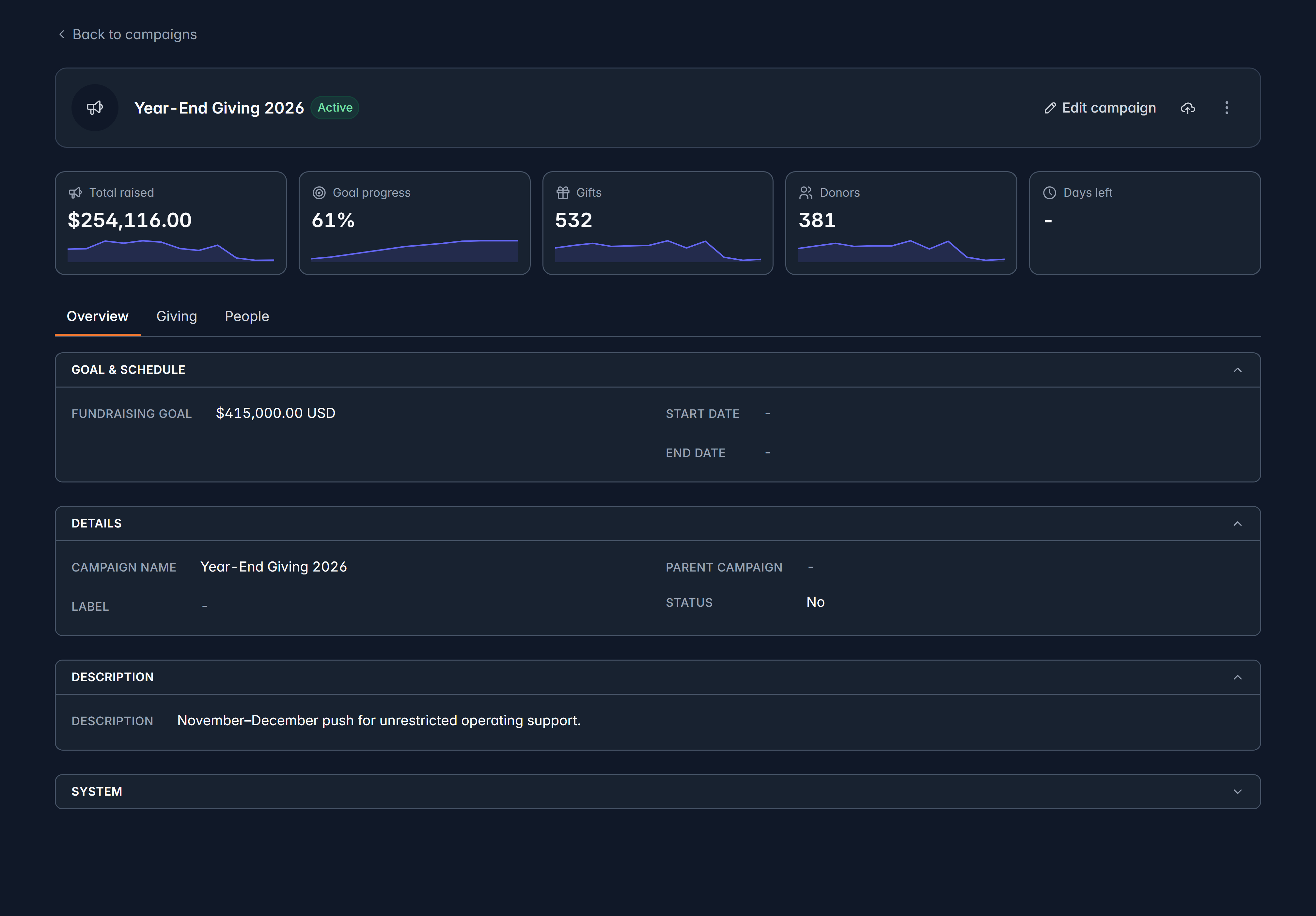
Open one from Fundraising > Campaigns to see:
- Total raised, progress towards the goal, gift count, donor count and days remaining.
- Goal and schedule: the goal amount, start date and end date.
- Giving: the donations and allocations it has attracted.
- People: its members (the team working on it) and its donors (everyone who gave).
Select Edit campaign to change the name, label, description, dates or goal.
Campaign members
Add member puts someone on the campaign's team, and Member statuses tracks where each of them is. Removing a member changes nothing about gifts or supporter records.
Archiving
Archive takes a finished campaign out of your everyday lists while keeping everything it raised. Restore brings it back.
A campaign shared by a parent organization shows as From parent and is read-only here. It's changed at the parent organization.
Related
Still stuck?
We're here for you, and no question is too small. Tell us what you were trying to do and what happened, and we'll help you get it sorted.