Payouts
Match the money in your bank account to the gifts it came from.
A payout is a transfer of money to your bank. One payout usually covers many gifts, minus processing fees, which is why a deposit rarely matches any single donation.
Before you start: you need permission to view payouts. Exporting the breakdown also needs permission to view payments, because the file contains donor names.
The list
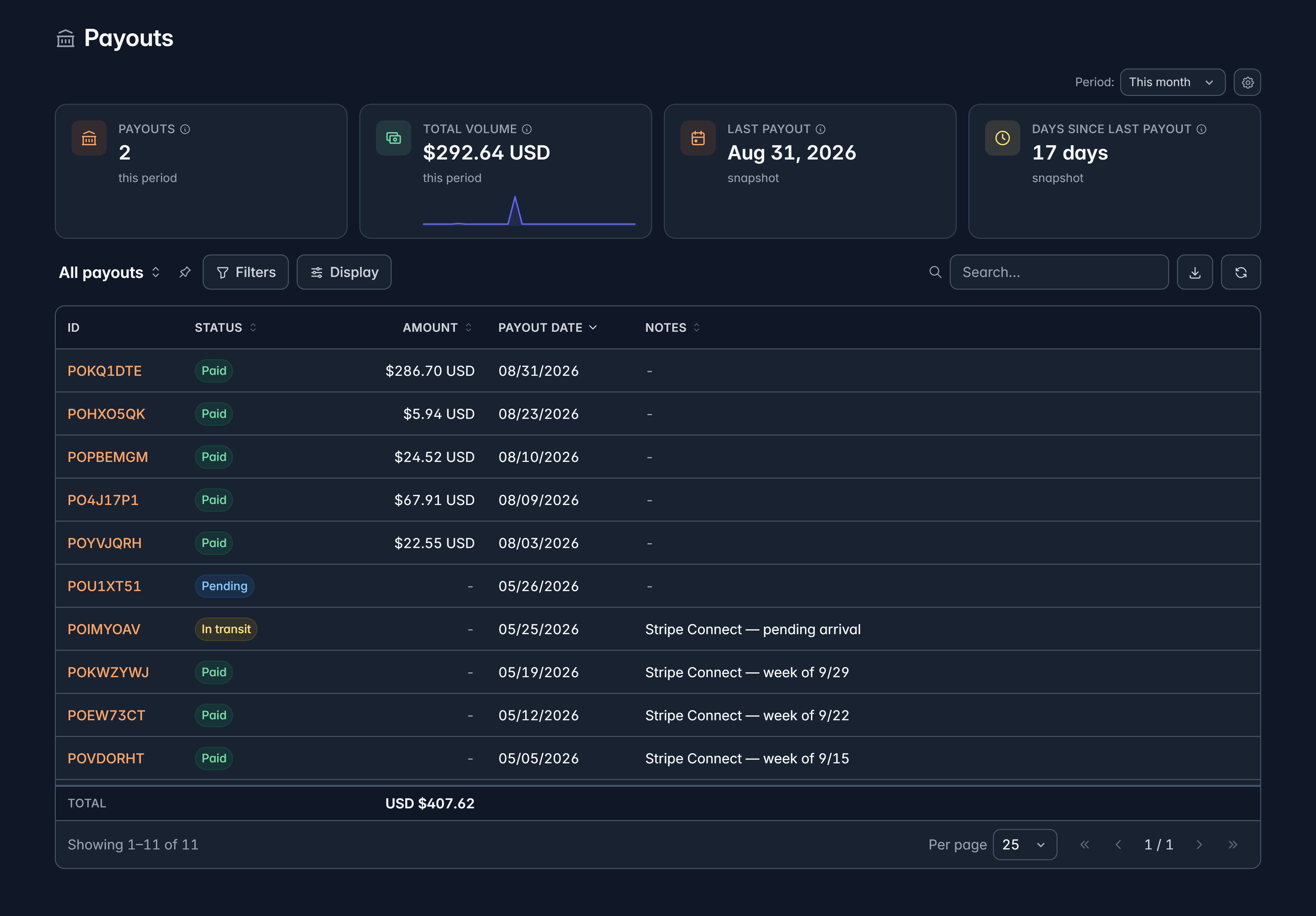
Financials > Payouts shows ID, Status, Amount, Payout date and Notes, and you can add Arrival date, Processor, Method and Lines.
| Status | What it means |
|---|---|
| Pending | Scheduled, not sent yet |
| In transit | On its way to your bank |
| Paid | Arrived |
| Failed | Did not go through |
| Cancelled | Stopped before sending |
| In PayPal balance | Settled into your PayPal balance rather than your bank |
Reconcile a deposit
Match the amount and date
Find the payout whose amount and date match your bank statement line.
Open it
Payments in this payout lists every gift inside it, and Settlement ledger shows the fees and adjustments between the gifts and the amount you received.
Export if your accountant wants detail
Export breakdown (CSV) downloads the whole thing as a spreadsheet.
Reconciling often? Add the Payout column to your payments list. Then you can start from a gift and find its deposit, instead of the other way round.
What you can change
Only Notes and any custom fields. Amounts, statuses and dates come from your payment processor, and Givable shows them as they are rather than letting them drift from your provider's record.
View in Stripe (or your provider) opens the same payout in their dashboard when a link is available.
Settlements versus payouts
Some rows are money settling into your balance with your provider rather than a transfer to your bank. Givable labels those clearly, because they are not deposits and your bank statement won't show them.
Still stuck?
We're here for you, and no question is too small. Tell us what you were trying to do and what happened, and we'll help you get it sorted.