Recurring gifts
Monitor monthly donors, pause or cancel a schedule, and spot the ones at risk.
A recurring gift is a schedule: $25 every month, until it's paused or cancelled. Each run creates a new gift and a new payment, so your reports count them like any other giving.
Before you start: you need permission to view recurring gifts, and permission to edit them to pause or cancel.
The list
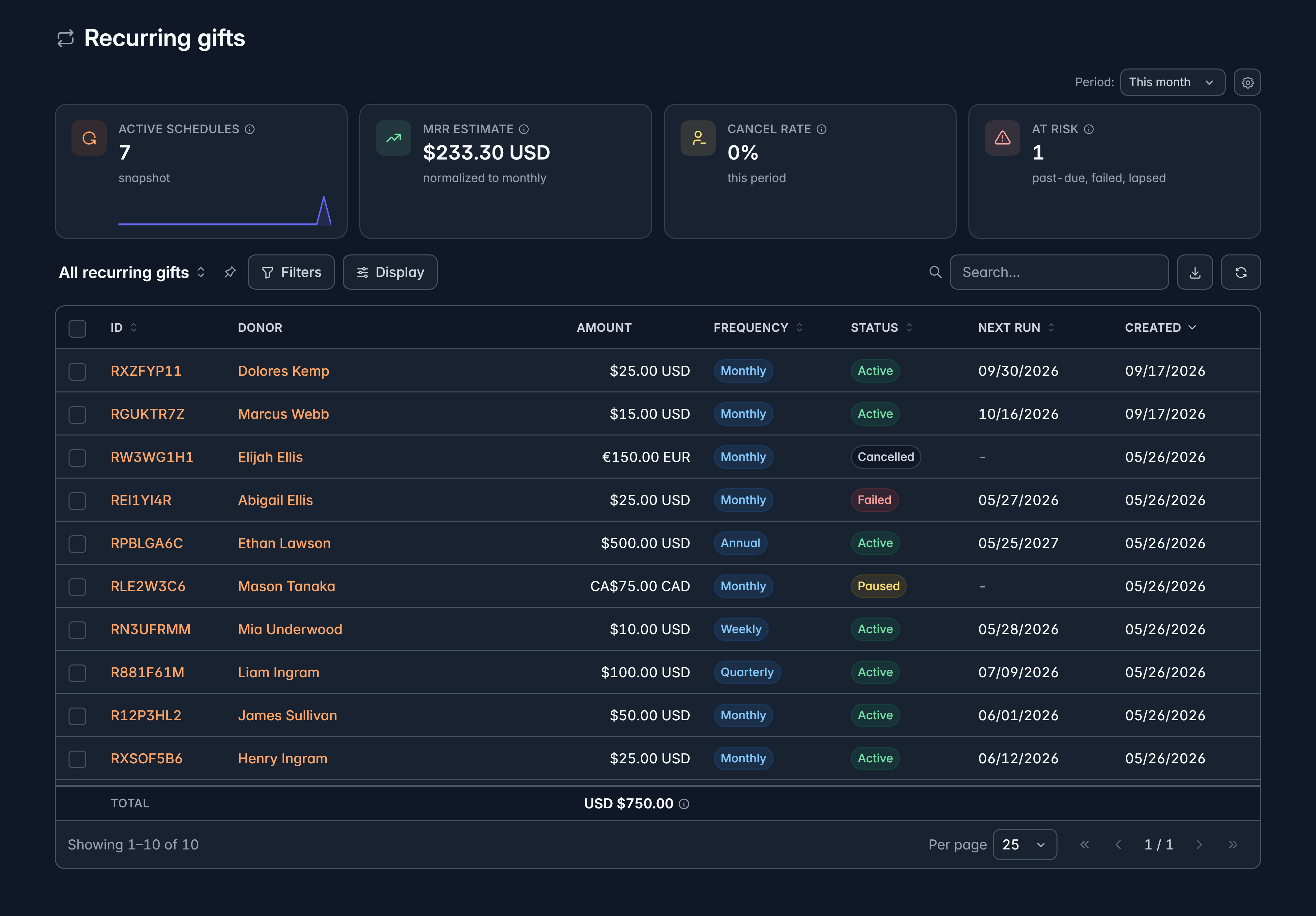
Financials > Recurring shows ID, Donor, Amount, Frequency, Status, Next run and Created, with Active schedules, MRR estimate, Cancel rate and At risk across the top.
| Status | What it means |
|---|---|
| Active | Running normally |
| Paused | Temporarily stopped, and can start again |
| Past due | A charge failed and is being retried |
| Lapsed | Retries ran out |
| Cancelled | Ended for good |
| Failed | The schedule itself could not run |
Frequencies run from Weekly and Biweekly through Monthly, Quarterly, Semi-annual and Annual.
At risk is the number worth watching each month. Past due and lapsed schedules are donors who meant to keep giving, and an expired card is usually all that stands in the way.
Where schedules come from
Schedules are created by donors when they give, or by your team on a supporter's record. There's no "new recurring gift" button on this list.
Pause or cancel
Open the schedule and select Edit to change its status. You can pause a schedule and start it again later, or cancel it.
Cancelling is final. A cancelled schedule can't be reopened, so pause instead when the donor might come back.
The amount, the frequency, the dates and the card behind a schedule can't be changed here. Those belong to the donor, who can update them in your supporter portal, which is also where changing them is least likely to lose the gift.
Let donors manage their own
Under Settings > Recurring donations you decide what donors may do for themselves in the portal: change the amount, change the payment method, pause, cancel. You also set how failed payments are retried and what Givable emails a donor whose card stopped working.
Giving donors that control tends to keep more gifts than it loses.
Related
Still stuck?
We're here for you, and no question is too small. Tell us what you were trying to do and what happened, and we'll help you get it sorted.